
Frequently asked questions
Segment Studio
What makes Segment Studio special?
Segment Studio creates personal wall art from your unique sports moment and travel memory. From a marathon run to an epic bike ride, triathlon, hike, or ski tour: we translate your route and memory into a premium 3D artwork for your wall. Your route is a tangible, matte relief that truly lies on the heavy graphic paper — a modern, gallery-worthy appearance.
Which activities can I immortalize?
Our minimalist designs are perfect for running and marathons, road cycling and gravel rides, walking and hikes, swim routes and triathlons, ski and snowboard days, and road trips and camper travels. Is your activity not listed? Feel free to send us a message.
Your route & data
How does ordering work?
1. Choose your design: The Desk Edition (frame 32×23 cm) or The Statement Edition (frame 42×32 cm). 2. Personalize: fill in the details of your activity. 3. Order & upload: complete your order and upload your GPX file. 4. Handmade: we create your design and hand-print and assemble the poster.
A GPX file — how does it work?
Any GPS recording with elevation data is suitable. Most apps export a GPX in two taps: Strava, Garmin Connect, Komoot, Wahoo, Apple Fitness, Coros, Polar or Suunto — export the activity as a GPX file.
How do I download my route?
You need a GPX file — the standard format your route (coordinates, distance and elevation) is saved in. Pick your app below; in most apps you can download it in a few taps. Save the file (phone or computer) and use it while designing your 3D poster.
Need help? Stuck? Send us an email, WhatsApp, DM or a message via the contact form — we’re happy to help.
Strava
Downloading a GPX from Strava only works via the website, not in the app.
On a computer: open your activity on strava.com and click “Download GPX” on the map.
On your phone, first request the desktop website:
1. Open your activity in Strava and tap the menu icon in the address bar.

2. Tap “…” for more options.

3. Tap “Request Desktop Website”.

4. Now tap “Download GPX” on the map.

Tip: the “Export GPX” button you sometimes see in the app only applies to a planned route — not your recorded activity.
Garmin Connect
The Garmin Connect app can’t export GPX itself. Go to connect.garmin.com (works in a mobile browser too): open your activity → gear ⚙ top right → “Export to GPX”.
Got the Garmin Explore app? There it works in-app: open your track → Share → GPX.
Komoot
In the app: open your Tour → share icon or “…” → “Export as GPX”.
Polar
The Polar app only shares a summary. Go to flow.polar.com: open your training session → “Export” top right → choose “GPX”.
Suunto
In the app: open your workout → “…” top right → “Export GPX workout”. (On Android without GPS data, only FIT is possible.)
COROS
In the app: open your activity → “…” top right → “Export Data” → choose “GPX”.
Wahoo
In the app: open your ride under History/Workouts → share icon → “GPX” → email it to yourself or save to Files.
Apple Fitness / Apple Health
Apple doesn’t export GPX itself. Use a free helper app like HealthFit, WorkoutGPX or RunGap: allow Health access, pick your workout and save it as GPX.
AllTrails
In the app: open your route or recording → “…” top right → “Export Route File” → GPX. You usually need AllTrails+ for this.
Ride with GPS
In the app: open your ride or route → “…” → “Export GPX”. (You need an internet connection.)
adidas Running
The app has no separate GPX button. Via your account: “Settings → Export data” → you get a ZIP with a GPS folder full of .gpx files (can take a while).
Fitbit
Fitbit only exports as TCX in the app (no GPX). Export the TCX and convert it to GPX, e.g. with gpx.studio.
Nike Run Club
Nike offers no GPX export. Tip: link your activities to Strava or Komoot, then you can download the GPX there.
Other / another app
Not seeing your app? Search the app for “Download GPX” or “Export GPX” — you’ll usually find it under “Options / …” or with your activity.
Many official running, tri and cycling events also publish their route as GPX on their website.
I don't have a GPX file. Can I still order?
Yes. In many cases, we also work with a Strava or Komoot link (activity public) or the name of a well-known competition. We will then compile the route as accurately as possible for you.
Can I add my own text or data?
Certainly. You can give the poster a personal title or location name, and even add photos. Optionally, you can display your finish time or elevation profile. Do you want to keep it extremely clean? Leave the optional fields blank.
Are the coordinates manually adjustable?
No. To maintain aesthetic appeal and geographical accuracy, the coordinates are automatically determined. You choose whether or not to display them.
Can I place multiple routes on one design?
Yes, you can — think of a triathlon, a road trip with stages, or a collection of marathons. Because this requires specific design work, we ask you to contact us in advance.
Product & quality
What sizes are available?
Two sizes: The Desk Edition (frame 32×23 cm) — subtle and stylish, ideal for a sideboard or desk — and The Statement Edition (frame 42×32 cm) — a powerful eye-catcher on the wall.
Is the route truly three-dimensional?
Yes, this is the core of Segment Studio. The route is printed as a physical 3D element with extreme precision from a high-quality, matte material and lies visibly and tangibly on top of the heavy graphic paper. Each item is 100% unique.
How accurate is the 3D-printed route?
The route precisely follows the geographical line of your GPX file. For a technically perfectly printable and visually powerful result, very small details or overlapping sections can be subtly simplified.
Which colours can I choose for my route and elevation profile?
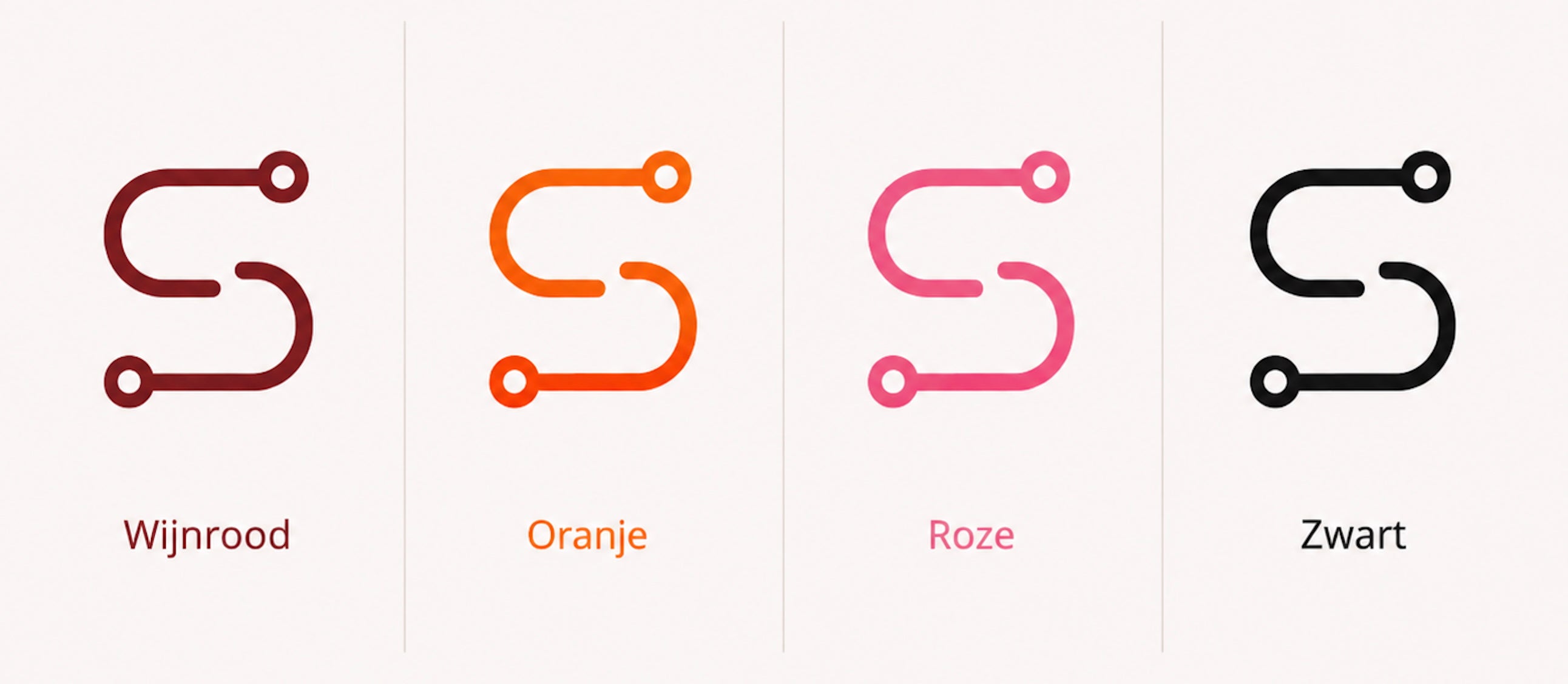
The line of your route and the elevation profile are produced in the same colour. You choose from four colours: Burgundy, Orange, Pink and Black. Is your favourite colour not among them? Feel free to contact us and we'll look at the options together.
Which colours can I choose for my frame?
The frame is available in three colours: oak, white and black.
Shipping, changes & returns
Will my design be delivered with a frame?
Yes, all our products are delivered with a frame.
Can I have a poster made as a gift?
Absolutely. A design print from Segment Studio is the ultimate, personal gift. You can have a name, date, achievement, or a short message placed on the poster during ordering.
How long does production take, and can I still make changes?
Most posters are shipped after 3-5 business days. Please contact us as soon as possible for changes; as long as your poster has not yet gone into production, we can often still amend text or route data free of charge.
Can I return a personalized product?
Personalized products are custom-made for you and therefore cannot be returned. Please check your data carefully. Is there something wrong with the quality or is the package damaged? Please take photos immediately and contact us — we always look for a suitable solution.
What are the shipping costs?
Shipping costs are included in the price — there are no separate shipping costs at checkout, wherever we ship. For a gift card too, there are no extra shipping costs on redemption.